Stop Checking Out: Meet the VS Code-Style Editor for Polarion ALM
Upgrade your Polarion admin experience with a professional VS Code-style editor. Edit repository files in just three clicks with full syntax highlighting, auto-formatting, and project-aware scoping. Free to use and built for efficiency.


Efficiency is the heartbeat of modern software development. Yet, for years, Polarion administrators and developers have been tethered to a somewhat clunky workflow: checking out files from SVN, editing them locally, and committing them back just to change a single line in a Velocity macro or a JSON configuration.
Today, we are changing that. I am thrilled to introduce the Polarion Code Editor. A free-to-use plugin designed to bring the power of a modern IDE directly into your Polarion Administration panel.
From Simple Tools to a Modern IDE
Let’s be honest: I haven't reinvented the wheel here, but I’ve certainly given it a major upgrade.
In a previous role, my team and I already used a custom file editor plugin. It was a great concept and supported us in many situations, but let's face it: it was simple. It got the job done, but it lacked the "soul" of a real IDE. The styling was basic and the overall experience was far from what we expect from modern development tools today.
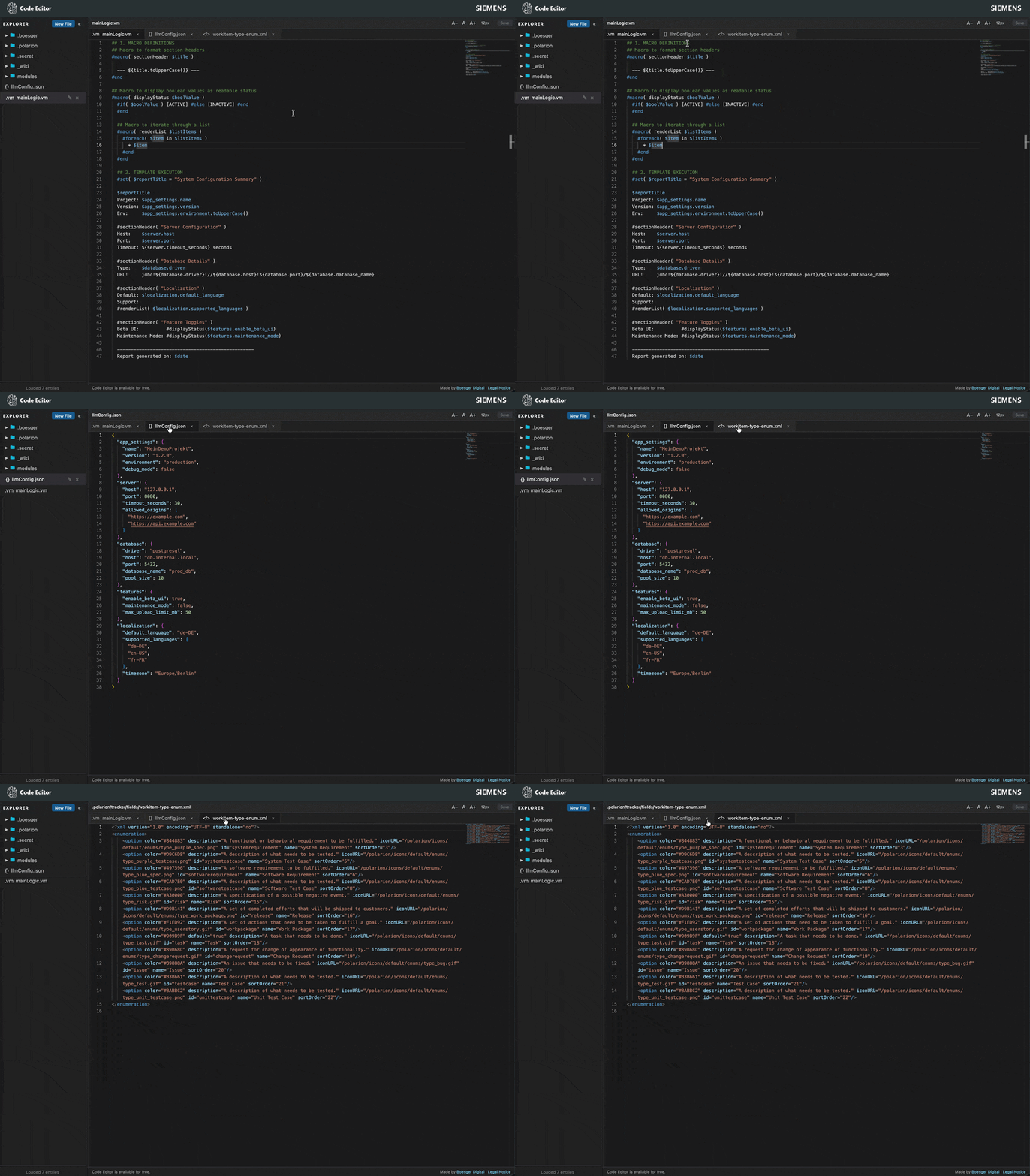
I wanted to take those early ideas and elevate them. I wanted an editor that doesn't just "show text," but understands it. By integrating the Monaco engine, the same one that powers VS Code. I've brought features like sophisticated syntax highlighting, automatic styling, and robust session management into the Polarion ecosystem.
Why a Code Editor inside Polarion?
Imagine you’re in a live workshop with a client. They say: "Hey, could we just adjust this logic real quick?" In the past, this meant: "Wait, let me open my SVN client, find the local folder, check if I have the latest version, edit, and commit." The momentum is gone.
With the Code Editor, it’s a three-click workflow: Open the file, make the change, hit save. Done.
This agility is even more critical now that I’m developing AI features. When you're fine-tuning an LLM integration, you’re constantly swapping API keys, changing GPT models, or tweaking prompt parameters. Doing this via a local checkout process is a nightmare.
The Code Editor gives you that "Zero Setup" advantage:
- Universal Access: No matter if I'm on my own machine or a client's system, I don't need a pre-configured SVN environment or TortoiseSVN installed.
- Instant Iteration: Change a parameter in a config file and see the result in the AI response immediately.
- Context-Switching made easy: No more "Did I check this out already?" or managing local build folders. You work exactly where the action is—directly in the Polarion UI.
Key Features at a Glance:
- Monaco Editor Engine: Top-tier syntax highlighting for JSON, XML, Velocity and other standard file formats out of the box.
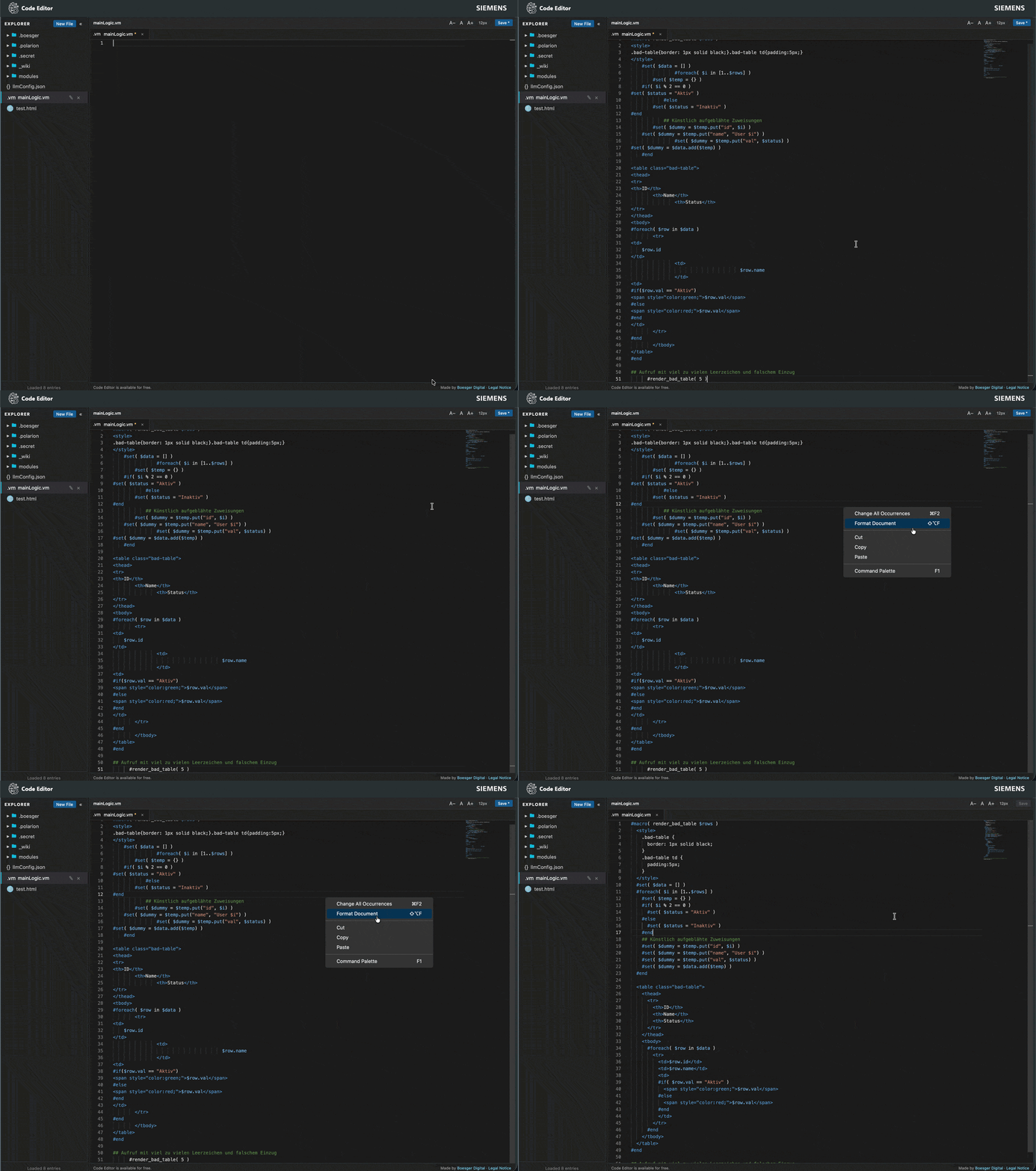
- Auto-Formatting: My personal "must-have." No more messy, unreadable Velocity macros. One click and your code follows a clean, structured style.
- Persistent Sessions: Thanks to session management, the editor remembers where you left off. Your workspace stays exactly how you left it.
- Direct Repository Access: Browse the hierarchical file explorer, open a file, edit, and hit
Ctrl+S. The plugin handles the transaction-safe writes to the Polarion repository for you. - Project-Aware Scoping: Automatically detects your current project and shows relevant files, allowing you to manage project-specific overrides effortlessly.
The Roadmap: What’s Next?
The Code Editor is just the beginning. I am already working on the next set of tools to make the Polarion experience more seamless:
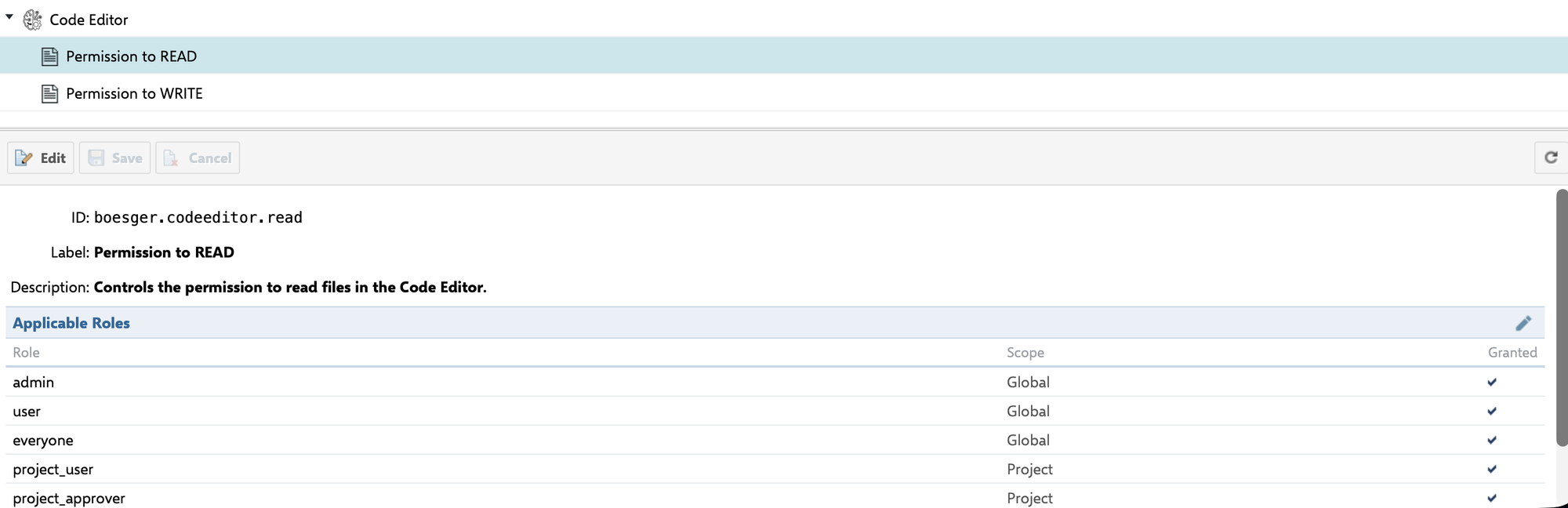
- Custom Permissions Plugin: One of the biggest challenges with custom tools is security. I'm developing a dedicated extension that allows you to define and manage custom permissions directly within the Polarion UI.
- Efficiency Tools: I'm constantly identifying bottlenecks in the daily work of admins and engineers. If there's a repetitive task that can be automated or simplified, I'm on it.
Get Started & Join the Discussion
I’m sharing this tool because I know it will save you as much time as it saves me. The Polarion Code Editor is available on GitHub (and hopefully later on the Polarion Extensions Portal too).
A Note on the Repository: I am currently preparing the whole GitHub repository to go public. Once it's live, the full source code will be available, and we will use GitHub Issues for all feature requests and bug tracking.
Until then: If you have any feedback, find a bug, or have a great idea for a new feature, please reach out to me via email.
I want to hear from you: Do you have a specific use case that's currently a pain in the neck? Let's discuss it! My goal is to build tools that our community actually needs.
Download it, install it, and let me know: How much time did you save today?
Stay tuned for more insights on how we are bridging the gap between ALM and AI.