Your AI assistant can't see Polarion. I built an open-source MCP server to fix that.
Your AI assistant is brilliant in the editor and blind the moment work lives in Polarion. Here is the open-source MCP server that lets Claude, Copilot, and ChatGPT read and write Polarion directly, with setup and a real worked example.

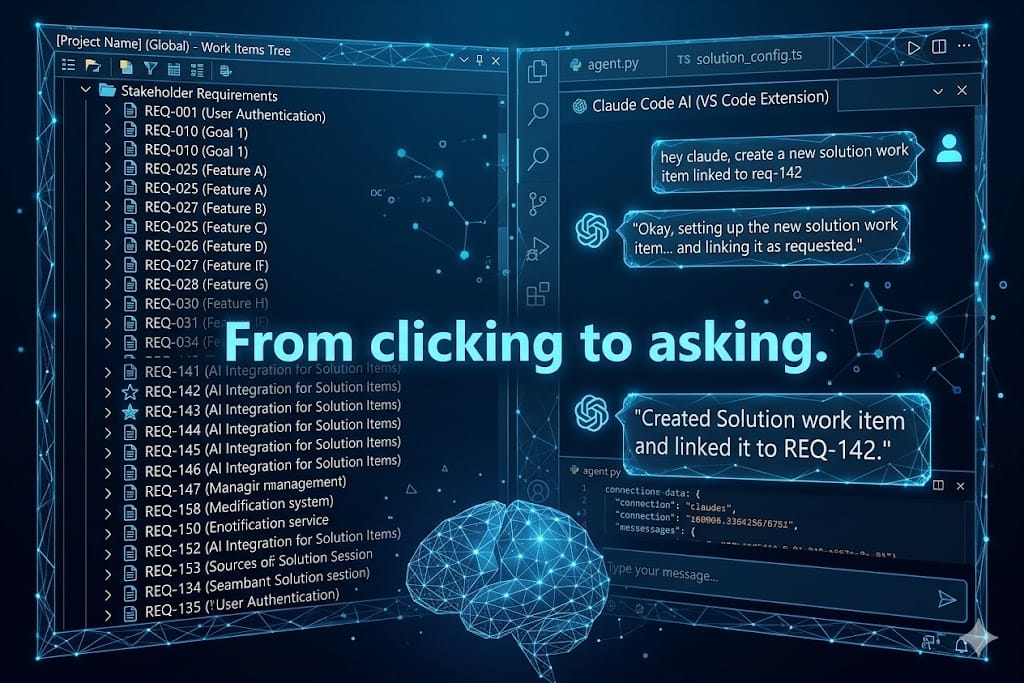
It's Friday afternoon. The ticket reads: "Create a Solution work item for every Stakeholder Requirement. Follow the naming convention, link each one back, add an effort estimate, format the spec as a proper Polarion table." There are forty-three Stakeholder Requirements. I open the first one, read it, click New, pick the type, type a title, write the description, set the link, add the estimate, save. Then the second one. Then I look at the clock.
This is the kind of work Polarion is full of: structured, repetitive, traceable, and almost mechanical once you know the pattern. Exactly the kind of work an AI assistant should be doing. The problem is that my assistant lives in the IDE and Polarion lives behind a REST API it has never heard of. So I built the bridge and open-sourced it: a Polarion MCP server. This post is the story of that Friday ticket, and how the same ticket now runs through Claude, Copilot, or ChatGPT instead of through my mouse.
The repo is here: github.com/phillipboesger/polarion-mcp.
Table of contents
- Why your assistant is blind to Polarion
- What an MCP server actually changes
- Will it work with your client?
- Get it running in your client
- The Friday ticket, done through the assistant
- What this is, and what it isn't
- Your next step
Why your assistant is blind to Polarion
The goal of this chapter is to name the real gap, because the fix only makes sense once the gap is obvious.
You know the situation. Copilot can refactor a Kotlin service in seconds, but it cannot tell you whether REQ-142 already has a linked Solution. Claude can write you a flawless requirements table, but it has no idea your project even has a Stakeholder Requirement type. The assistant is brilliant inside the editor and completely blind the moment the work lives in Polarion. Every Polarion task becomes copy, paste, re-explain, repeat.
The instinct is to paste Polarion content into the chat by hand. That works for one work item. It falls apart at forty-three, and it throws away the one thing Polarion is good at: the links between items. What's missing is not a smarter model. It's a way for the model to read and write Polarion directly. That missing piece has a name now, and it's called MCP.
What an MCP server actually changes
The goal of this chapter is to make MCP concrete, because it's the one piece this whole post hinges on and probably the one you've heard the least about.
Start with what you do today. You want the assistant to know what's in REQ-142, so you open the work item, copy the description, and paste it into the chat. That works once. It doesn't scale to forty-three, and the assistant still can't write a single thing back.
The Model Context Protocol fixes exactly that. It's a standard way to hand an AI assistant a set of tools it is allowed to call. With MCP in place the assistant stops waiting for your paste. It calls getWorkItem('REQ-142') itself, reads the result, and can call postWorkItems(...) to create the Solution. The server is the translator in between: it turns the assistant's tool call into the matching Polarion REST request, runs it, and hands the answer back in a shape the model understands.
Three things are worth pinning down, because they're the questions every Polarion person asks next:
- The model picks the tool, not you. You describe the task in plain language. The assistant decides which operations to call, and in what order.
- It runs with your token. Every call goes out as you, with exactly the rights your Personal Access Token carries. Nothing more.
- You can keep it read-only until you trust it. Scope the token to read first. Let it list and summarize. Widen it to writing only once you've watched it work.
Under the hood the server exposes around 210 Polarion REST operations as tools: read work items, create them, link them, patch fields, manage documents, test runs, plans, and more. You never memorize that list. You ask in plain language, and the assistant reaches for the right one.
That's the shift. Not a chatbot that talks about Polarion, but an assistant that operates it, as you, within your rights. The next question is simply which assistant, and that's where connecting it comes in.
Will it work with your client?
The goal of this chapter is to clear the one practical worry before setup: yes, it almost certainly works with the client you already have open.
The same tool set is reachable from local editors and web clients alike. Claude Code, Claude Desktop, and VS Code with Copilot launch the server locally. Claude.ai and ChatGPT reach it over HTTPS. You pick the client, the tools are identical either way.
ℹ️ For the architects who want the wiring. The server ships the same tools over three transports: stdio for local clients that start it as a subprocess (Claude Code, Claude Desktop, VS Code), a Streamable HTTP MCP endpoint at /mcp for Claude.ai custom connectors, and a REST wrapper for ChatGPT Custom GPT Actions. Same tools, same behavior, three doors in. The README has the per-client steps.That covers which assistant. Now the two steps every client shares: a token and a one-time build. Let's do those.
Get it running in your client
The aim here is to get you from zero to a working polarion server in your client, with copy-ready commands. Open your terminal and follow along.
First the credentials. The server needs two environment variables for every client:
API_BASE_URL    e.g. https://your-polarion-server/polarion/rest/v1
BEARER_TOKEN    your Polarion Personal Access Token
The token is a Polarion Personal Access Token. You create it in your Polarion user profile, under Personal Access Tokens, scoped to the minimum your workflow needs. If you don't see that section, your admin has it disabled.
ℹ️ Only relevant for internal servers. If your Polarion sits behind a self-signed certificate, also set NODE_TLS_REJECT_UNAUTHORIZED=0. Use it only for servers you trust.Now the one-time build. Every local integration runs the compiled build/index.js, so clone and build once:
git clone https://github.com/phillipboesger/polarion-mcp.git
cd polarion-mcp
npm install      # installs and builds via the prepare script
echo "$(pwd)/build/index.js"   # note this absolute path
Keep that absolute path handy. Here is the wiring for the client I reach for most, Claude Code:
claude mcp add polarion \
  -e API_BASE_URL=https://your-polarion-server/polarion/rest/v1 \
  -e BEARER_TOKEN=your-polarion-personal-access-token \
  -- node /absolute/path/to/polarion-mcp/build/index.js
Then confirm it registered:
claude mcp listThat's one client. The pattern is identical everywhere else: same two variables, same one-time build, just a different config file. Rather than repeat it here five times, I keep the full walkthrough in the README. It covers Claude Desktop, VS Code with Copilot, the ChatGPT Custom GPT path, and the Claude.ai connector step by step, including the self-signed certificate and multi-environment cases: github.com/phillipboesger/polarion-mcp.
With the server wired in, the Friday ticket stops being a clicking exercise. Let's run it.
The Friday ticket, done through the assistant
The goal of this chapter is to show the payoff end to end: the exact task from the top, solved by asking instead of clicking. This is how I'd run it today.
I'd start by pointing the assistant at the project and the task. The repo even ships a worked example task description you can adapt, so you're not writing the brief from scratch. My opening prompt would be something like: "For project APOLLO, go through every Stakeholder Requirement one by one. For each, check whether a Solution work item already covers it. If not, create one."
Here's what happens behind that sentence. The assistant calls a read tool to list the work items:
💡 Example of the tool calls the assistant makes
getWorkItems(project="APOLLO", type="stakeholderRequirement")
→ 43 items
Then it works item by item. For REQ-142 it reads the full specification, checks existing links for a Solution, and finds none. So it creates one, following the naming convention from the brief, and links it back:
💡 Example
postWorkItems(project="APOLLO", type="solution",
  title="Configuration: Change-Request Workflow",
  description="<table>…field types, states, transitions…</table>")
postLinkedWorkItems(REQ-142 → SOL-318, role="is implemented by")
The parts that used to eat the afternoon are now the assistant's job. It writes the description as a real Polarion HTML table, sets the type and status, adds an effort estimate with its assumptions written out, and records what it did so the trace is auditable. I stay in the loop as the reviewer: I spot-check a handful of the generated Solutions, fix the two estimates that look optimistic, and move on.
The forty-three-item afternoon becomes a ten-minute review. More importantly, the traceability that makes Polarion worth using is created correctly the first time, because the assistant reads the links instead of ignoring them. That's the whole reason the bridge exists. Before you point it at your production project, though, a few honest notes.
What this is, and what it isn't
This chapter is here to set expectations straight, because a tool that touches your ALM data deserves a clear label.
First the part I care about most. This is not a from-scratch hero project. It builds directly on @Jonasdero's work and his foundation was already solid. I took that base and developed it further into the three transports, the generated tool set, and the deployment paths you see here.
Now the honest labels. This is an independent, community project under MIT. It is not affiliated with or endorsed by Siemens, and "Polarion" is their trademark. The tool set is generated from a Polarion OpenAPI definition, so it matches whichever spec you last generated from. The /polarion/rest/v1 path is stable across releases and newer versions mostly add endpoints, so a regeneration picks them up. There is no continuous maintenance, only an occasional refresh when I move to a newer version.
ℹ️ One thing worth handling with care: the token. Your Personal Access Token is the keys to your Polarion. Scope it to the minimum, never commit it, keep it in user-level config or an ignored .env, and give the HTTP wrapper its own separate key.None of that is a reason to hesitate. It's the context you need to use it responsibly. Start it against a sandbox project, watch what the assistant does, and graduate it to real work once you trust the loop. Which brings me to what I'd actually do next.
Your next step
We built this because we were tired of being the slowest part of our own Polarion workflow. The model was ready, the API was ready, the only missing piece was the bridge between them. Now it's open source, and I'd rather a handful of engineers tried it than have it sit polished and unused.
So: clone the repo, wire it into the client you already have open, and give it one boring, repetitive Polarion task you've been putting off. Then tell me where it broke, because that's where the next version comes from.
👉🏼 Repo and full setup: github.com/phillipboesger/polarion-mcp