Your AI, Your Setup, Your Polarion: Where Polarion MCP Stands
Every team connects AI to Polarion differently. Where the open source Polarion MCP stands: guides for 27 setups, a new website, what's fixed and what isn't finished yet.

In June I published Polarion MCP, an open source server that connects AI assistants to Polarion, and ended the post with one request: tell me where it broke. A few people did. One message in October came from someone who could only see a few projects in Polarion and was locked out at login. Three days later the fix was out. And every user and customer I talk to about it brings a different setup, while wanting the same thing.
For: Polarion users, admins and anyone who wants AI on their Polarion data. Disclosure: Polarion MCP is my own free open source project. I also help teams set it up as a freelancer.
Contents
- Every setup is different
- What feedback fixed
- Find your setup in two clicks
- What isn't finished yet
- Where it could go next
- Do you use it, or might you?
Why is every setup different?
A team usually has one AI assistant. Procurement picked it, the data protection officer signed it off, IT rolled it out. That part is settled.
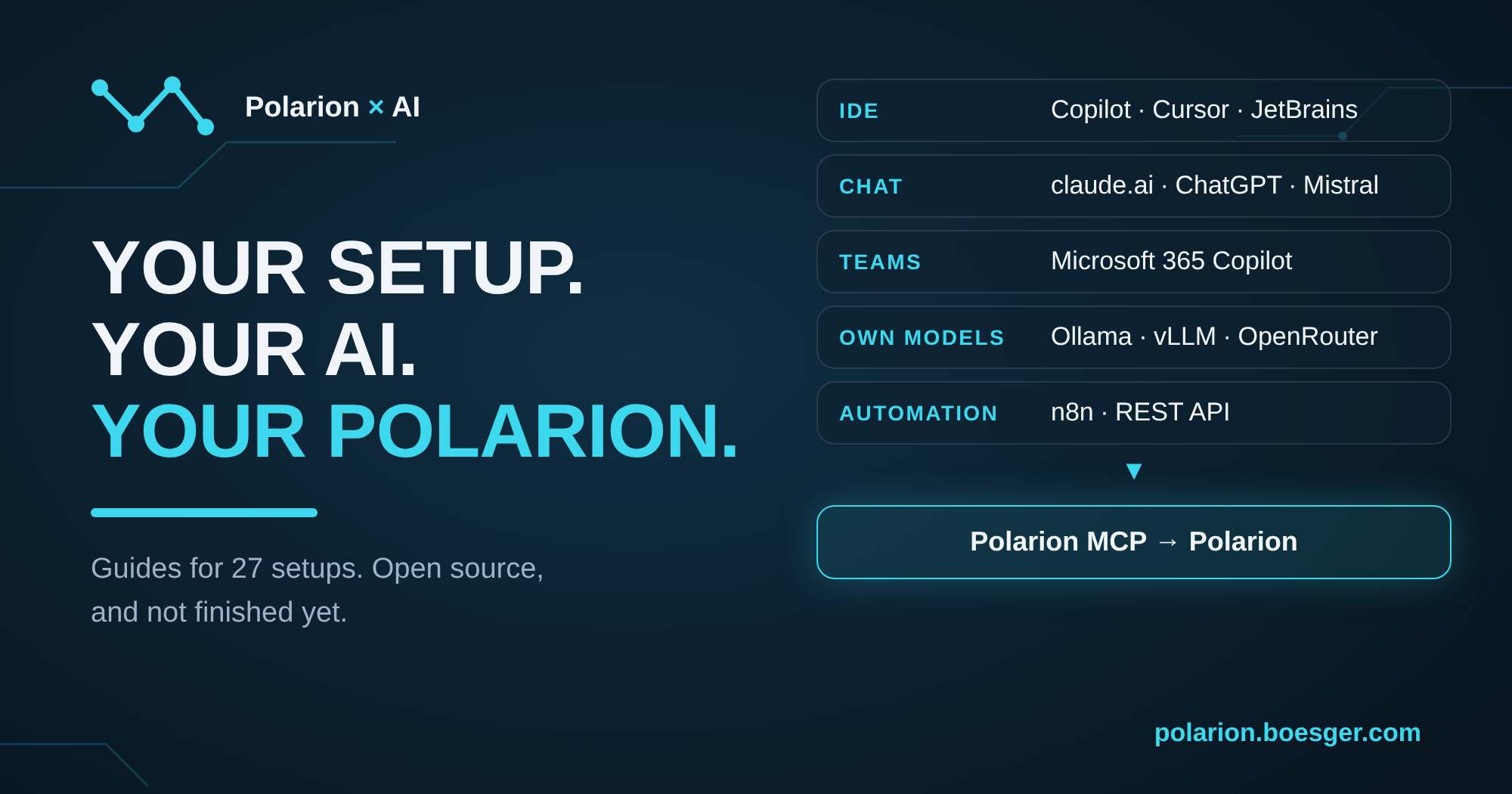
But across teams and customers, it's a different one every time. The guides now cover the range: GitHub Copilot inside Eclipse, claude.ai behind a company proxy, Microsoft Teams, or a model on your own hardware because no data may leave the building. Some teams want to read only. Others want the assistant to create work items and fill in test steps.
What they want from it is surprisingly similar: ask Polarion a question in plain language, prepare a review, find the requirement without a test, write less by hand.
So the connector has to fit the setup. In the setups I know, nobody changed their assistant because of Polarion.
What did feedback fix?
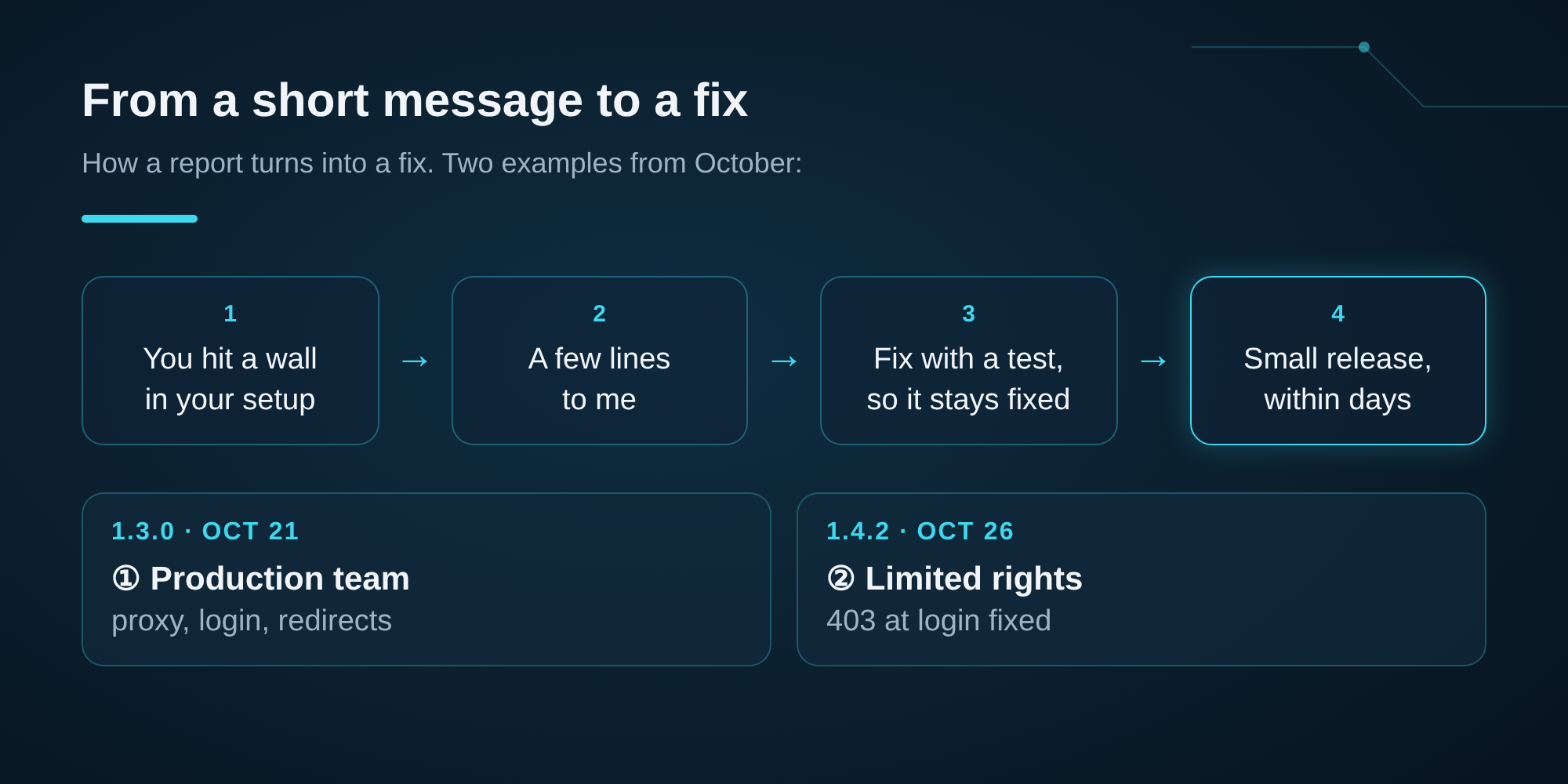
So far I've had a handful of reports, some big, some small. Few, but each one showed me something I couldn't have found on my own. Two examples:
- Locked out with limited rights. A user who could only see some projects got a "403 permission denied" when connecting. The token check asked Polarion for something that needs global read rights. Reported on October 23, fixed in 1.4.2 on October 26. Users with access to only some projects can now connect on Polarion 2512 and newer.
- A team running it in production sent five patches and notes from their deployment: login diagnostics, proxy settings, redirect rules for claude.ai, a shorter tool list. They landed, partly reworked, in 1.3.0.
Most changes came from my own audits and testing: rate limits that would have locked out every claude.ai user sharing one outgoing address, a company login page that counted as a valid token, refresh tokens that never expired. Support for corporate proxies and backwards compatibility with Polarion 2506 followed in 1.5.0.
The 403 report was a few lines. I had never hit that bug myself. Still, it got fixed the same way as everything else: small fix, test, release, within a few days.
Find your setup in two clicks
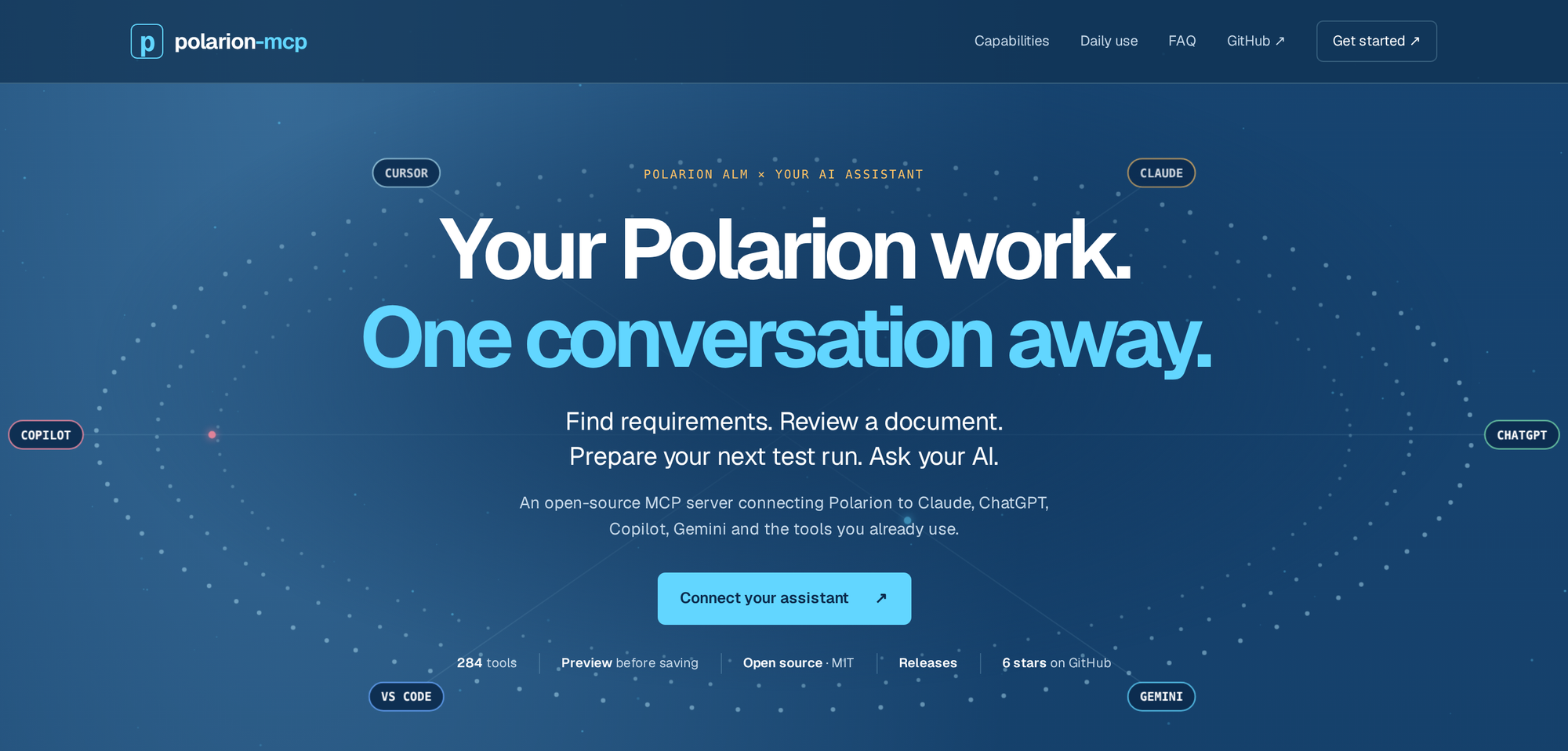
The more setups it supported, the harder the docs got to read. So I rebuilt the website at polarion-mcp.boesger.com. If you only click one link in this post, make it that one.
At its heart is a map of assistants. You pick your provider, then your client, and a panel tells you how you can connect:
- Local: your assistant starts the server on your computer with your own Polarion token. That takes a few steps and Node.js.
- Server: someone hosts it once with Docker and the team connects by URL. Cloud assistants like claude.ai or ChatGPT also need public HTTPS and a login, so this one usually needs your IT.
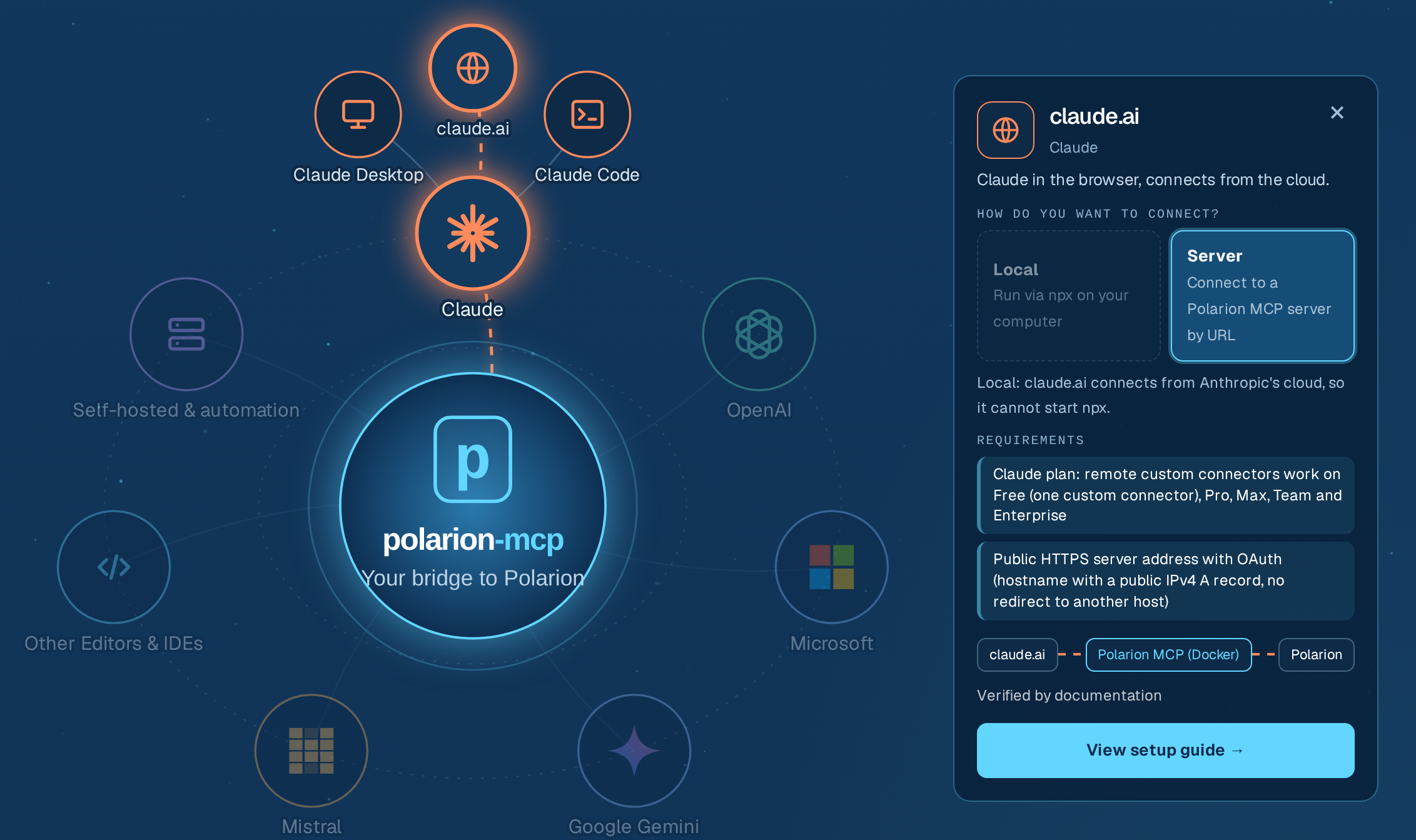
"View setup guide" then leads to exactly the steps for your setup, with a check at the end: ask your assistant who you are in Polarion.
Behind the map are guides for 27 setups: Claude, ChatGPT, GitHub Copilot, Copilot Studio, Microsoft 365 Copilot and Teams, Gemini, Mistral, Cursor, Windsurf, JetBrains, Codex, your own models through Ollama, vLLM or OpenRouter, and automation with n8n or a REST API. Everything is in the GitHub repo, including the FAQ and the guides as plain Markdown.
What isn't finished yet?
I test the Claude routes almost every day, because Claude is what I work with. Every other route is built from the vendor's documentation and from your feedback. 27 setups, local and server where both are possible, three Polarion versions: one person can't test every route alone.
That shows in a few places:
- Many guides still list points the vendor documentation doesn't confirm. I'd rather mark them than guess.
- Mistral hasn't documented its login callback yet, so the server's ready-made Mistral setting stays closed. The guide describes a manual way.
- Polarion MCP generates 284 tools from the Polarion REST API. Some assistants struggle with that many, so you can narrow it down to read-only or to a few tool groups.
- For login through a server, Polarion 2512 or newer is the smooth path. 2506 works, but needs broader read rights for the user (version notes).
If your route works, or doesn't, tell me. That's the fastest test I have.
Where could it go next?
I keep working on it, and I'd rather follow real setups than my own roadmap. My current lean is smaller tool sets per role, one for test managers and one for requirements engineers, because 284 tools overwhelm some assistants. I haven't tested whether that helps in practice. The other open point is end-to-end tests for more routes than Claude, and for that I need people who run those routes.
And Siemens is bringing its own MCP server into Polarion. I'm curious how it will compare once it's out: which assistants it works with, how login works, how much of Polarion it covers. I'll try it against the same setups and write about it. If it fits your setup better, use it.
Do you use it, or might you?
I know some Polarion customers already use Polarion MCP. Beyond that, I mostly don't know who does, and that's the part I'd like to change.
Already using it? Tell me which assistant and whether you run it locally or on a server. Thinking about it? Tell me your setup and what's in the way. One line is enough, and you don't need to name your company.
Leave a comment below, write me on LinkedIn, or open an issue on GitHub. And if it's useful to you, a star on the repo helps other Polarion teams find it.
What does your setup look like, and what should AI do in your Polarion first?
Polarion is a trademark of Siemens. Polarion MCP is an independent open source project, not affiliated with or endorsed by Siemens.